
How to add team members to Ariko
Who can sign in to this business, and what they're allowed to do. Everyone signs in with their own email and password.
Updated:
-
1. Fill in the user's details
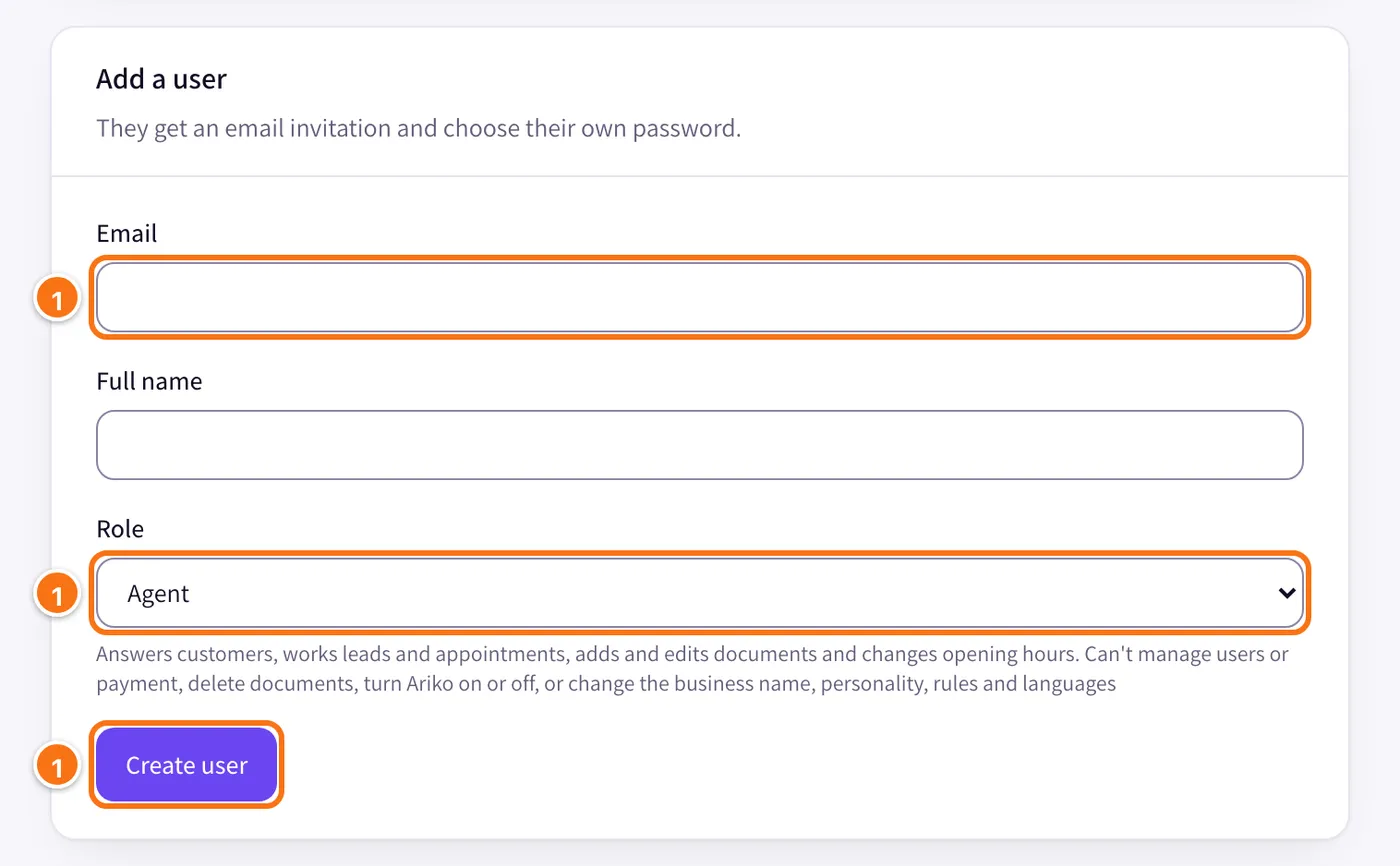
In Ariko, open Team. Under Add a user, fill in the email and full name, choose a Role and press Create user.
Only a manager can add users. How many users you can add depends on your plan.
-
2. The team member chooses a password
We've sent the team member a link to choose a password. It's valid for 60 minutes, and there's nothing for you to hand over.
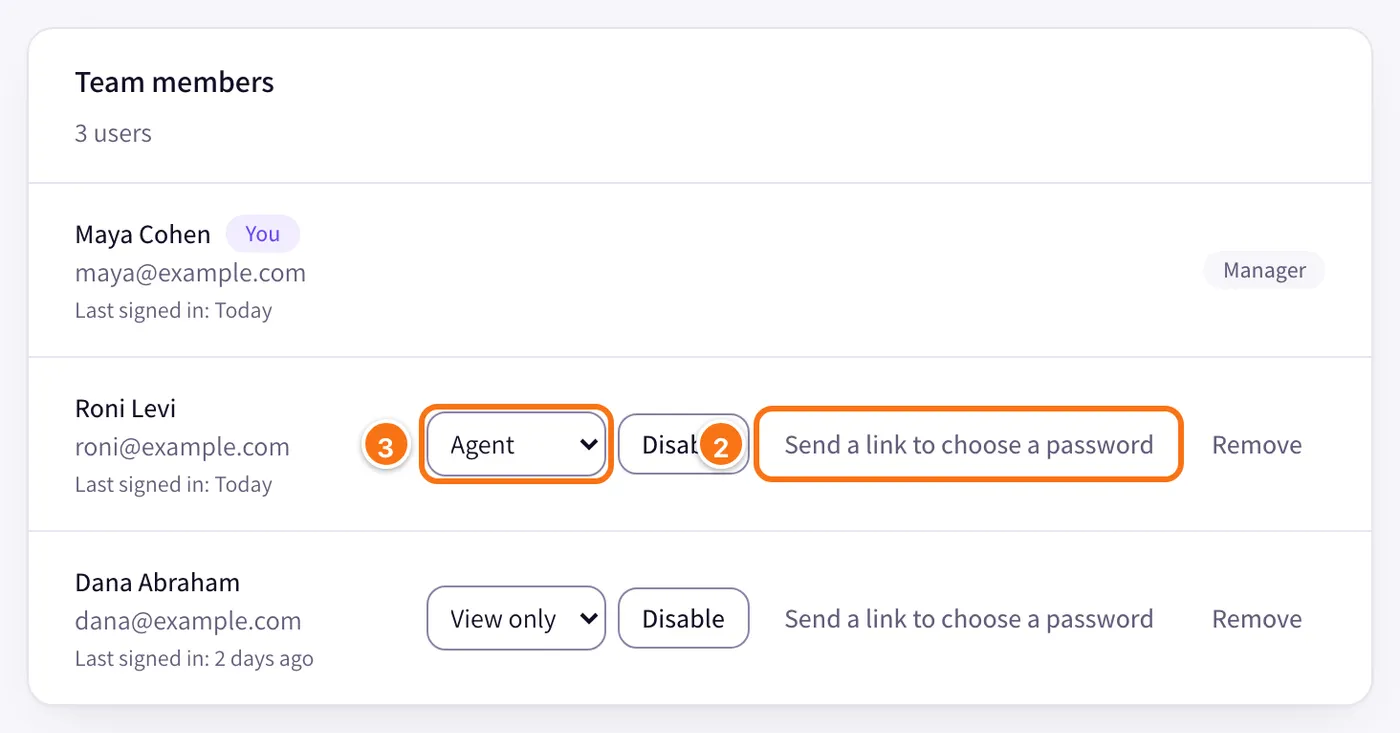
Link expired? In the Team members list, press Send a link to choose a password next to the name and a new link is sent.
-
3. Change a role, disable or remove
Next to each team member: the menu changes the role, Disable blocks sign-in without deleting, and Remove deletes the user. Removing cannot be undone.
Which role to give
| Role | What they can do |
|---|---|
| Manager | Full access: team and roles, plan and payment, and exporting or erasing data |
| Agent | Answers customers, works leads and appointments, adds and edits documents and changes opening hours. Can't manage users or payment, delete documents, turn Ariko on or off, or change the business name, personality, rules and languages |
| View only | Read only — sends nothing and changes nothing |
Stuck?
The team member didn't get the email
Check the spam folder. The link is valid for an hour. Past that? Press Send a link to choose a password next to the name and a new link is sent.
A team member lost the phone with two-factor authentication
A manager presses Turn off 2FA next to the name. Make sure it really is the team member first.
Can I make someone else a manager too?
Yes, from the role menu next to the name. Ariko asks you to confirm first, because a manager can manage the team, the plan and payment, and export or delete data.
I've reached my plan's number of users
The number of users depends on the plan. Disable or remove a user you no longer need, or move to a bigger plan. Plans.
Didn't find the answer? Write to us at hello@ariko.ai and we'll help.
More guides: First steps · Connecting WhatsApp · Installing the website chat · Connecting Google Calendar · Your business's information